


 Koodisi
Enterprise integrations, built and run with AI agents.
Koodisi is an agentic platform for enterprise integrations. It connects your CRM, ERP, HR and IT systems through 100+ connectors, and AI agents work with your team from requirements to live support, under the governance you set.
Most integration tools stop at build. The hard part starts in production.
Building the integration is the easy part. Running it is where teams lose their nights. Koodisi treats running integrations as the job, not an afterthought.
Failures nobody can explain
A sync fails overnight, and support digs through raw logs to find out why.
Changes nobody can contain
A change to one client’s flow puts every other client on the platform at risk.
Agents nobody signed off
An AI agent needs to act on a business system, and nobody can say who approved it.
One platform from the first connector to production support
Build once, use everywhere
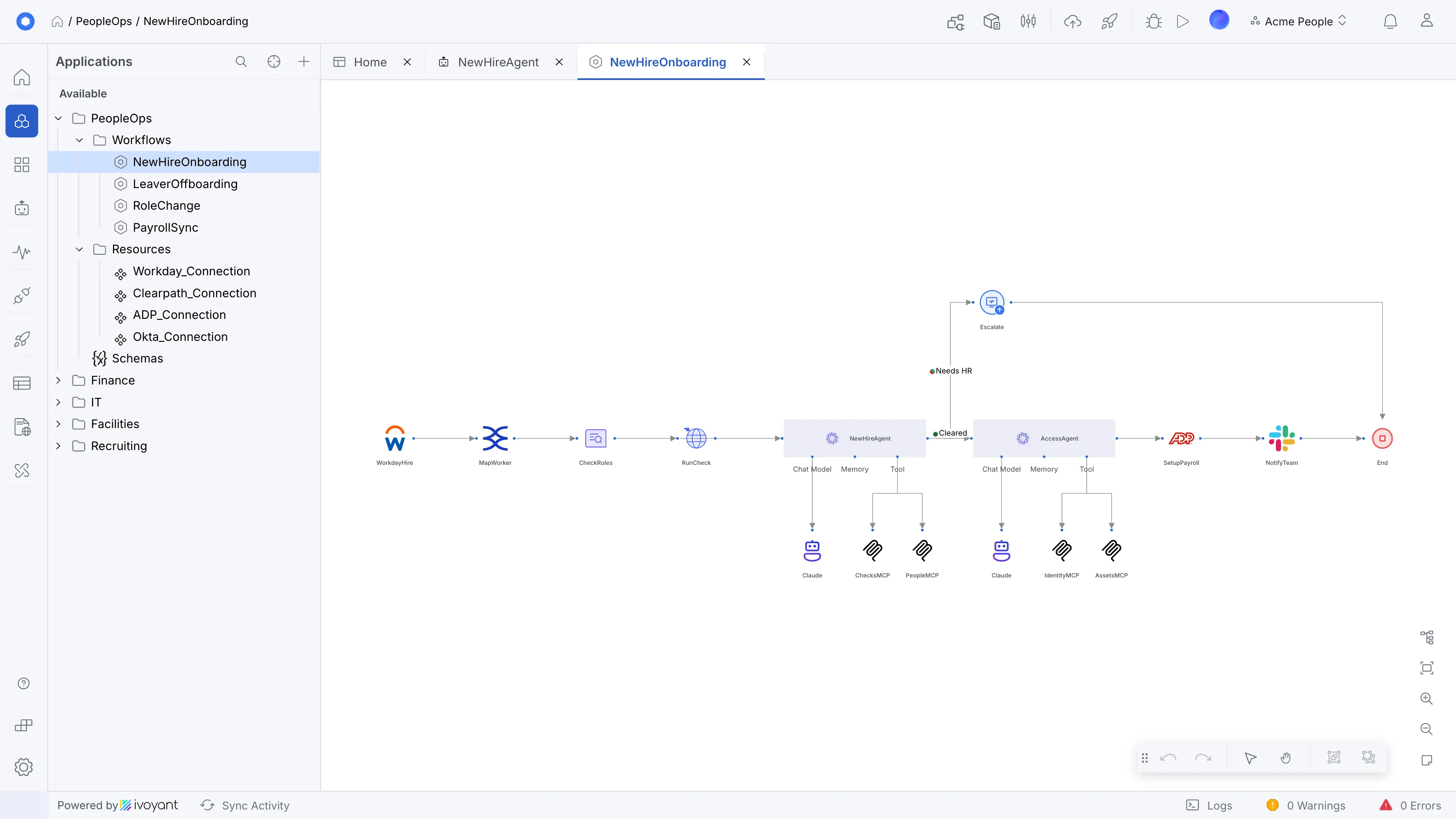
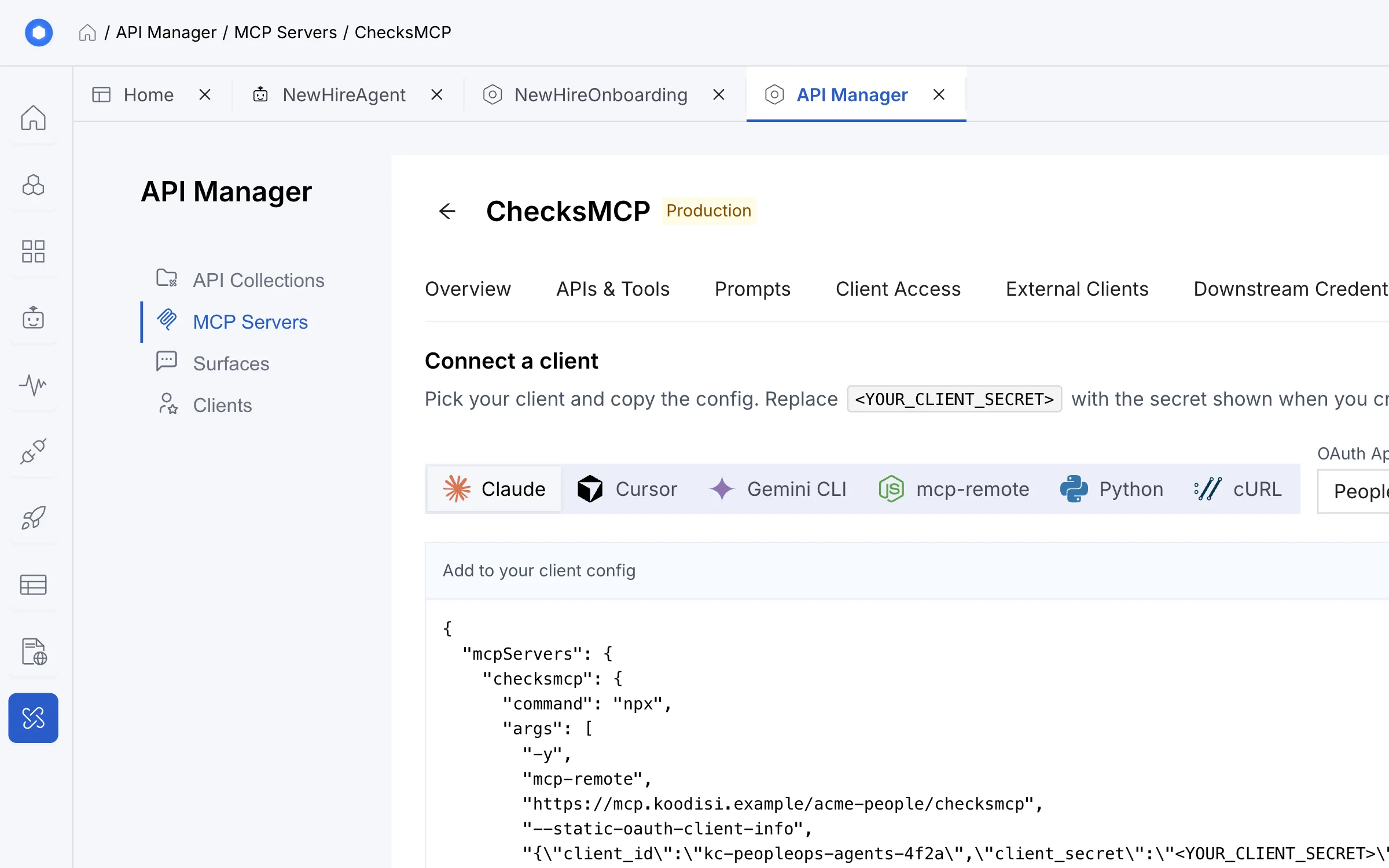
Build a workflow once on the no-code canvas, then publish it as an API or an MCP tool that Claude, Cursor and your own AI agents can call, with the client config ready to paste.
Govern every change
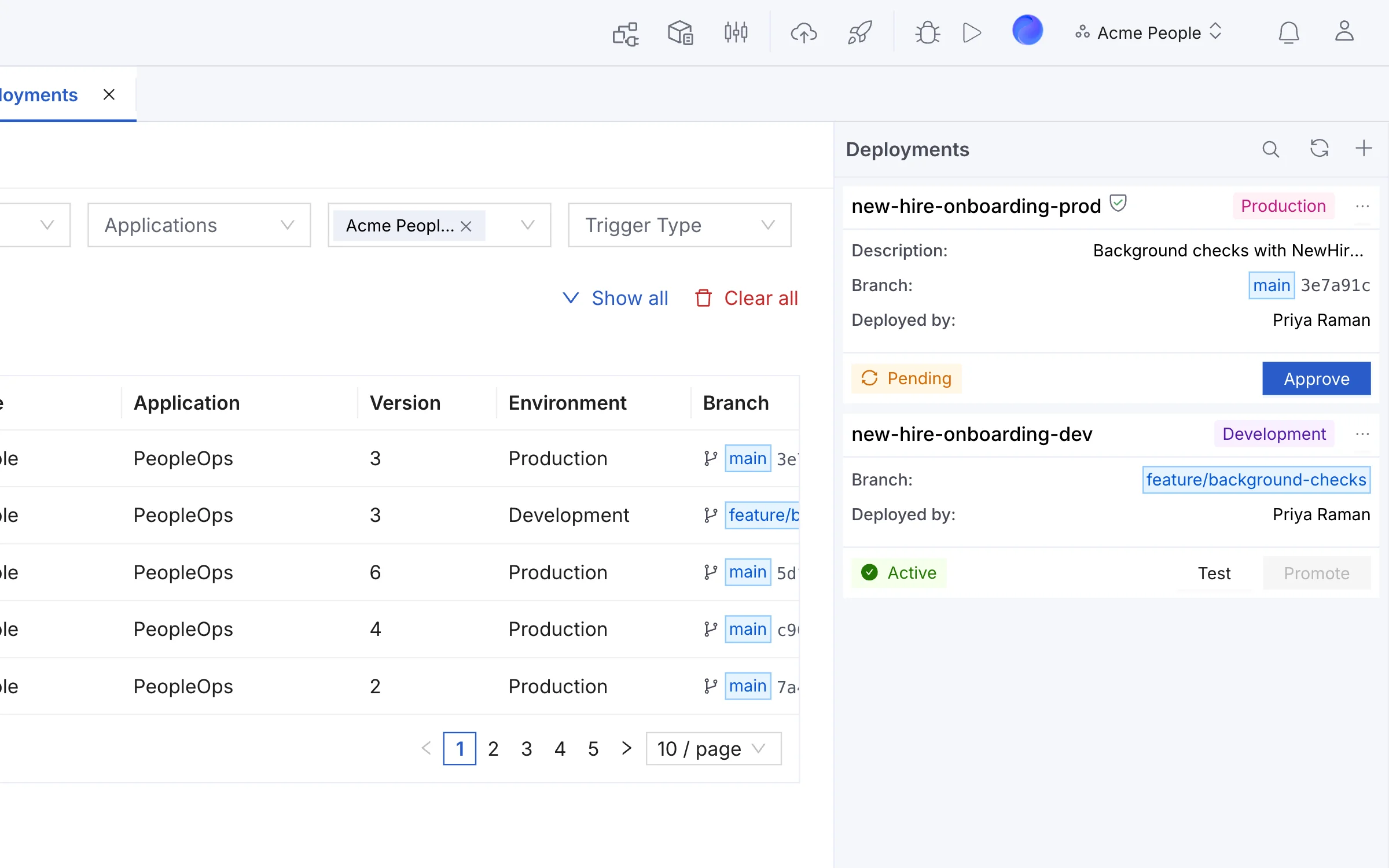
Approvers, branch policy, Git-native versioning and rollback are built in. Changes move from Dev to Production only through promotion, and agents carry their own guardrails.
See every failure
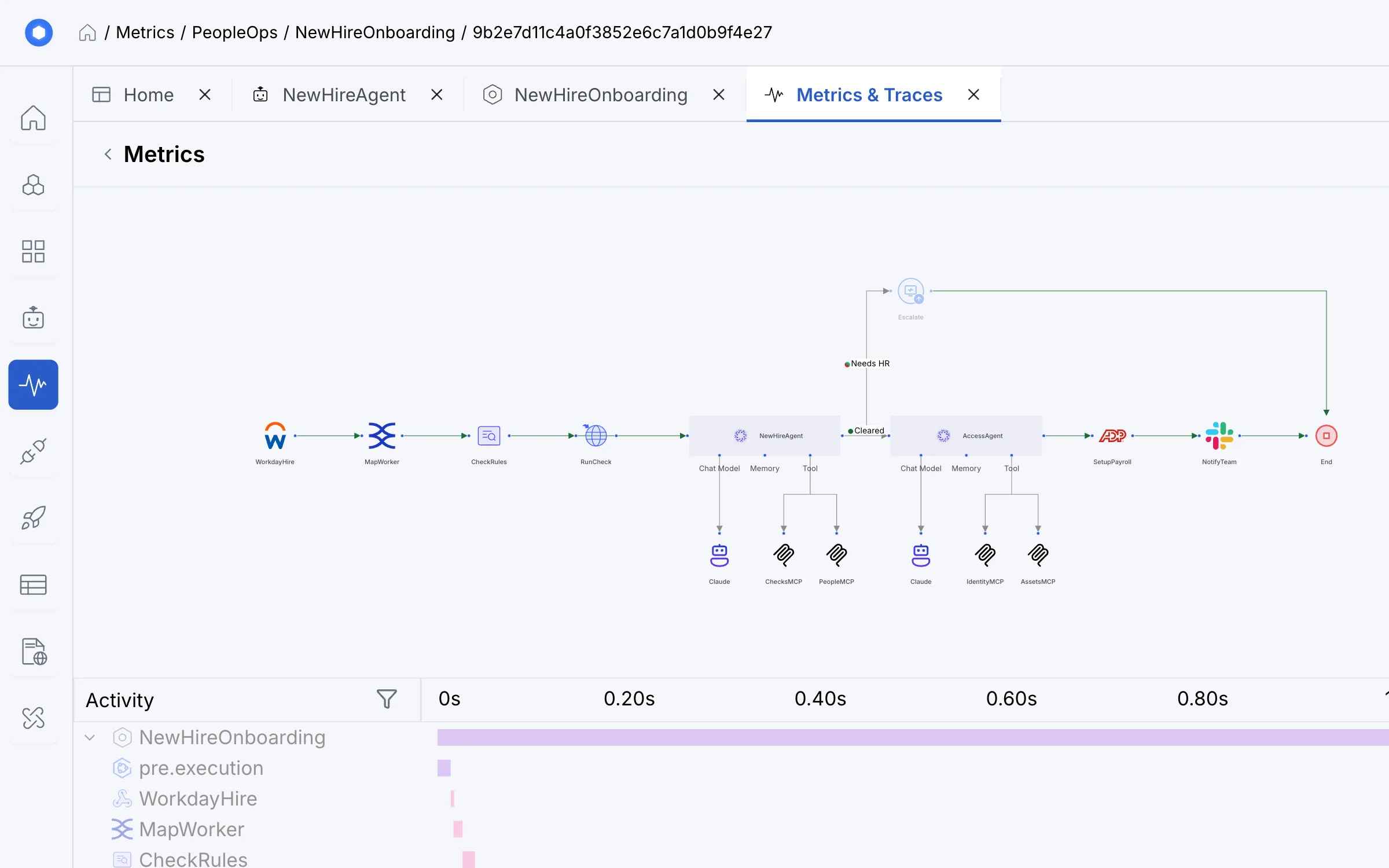
Step-level traces show the execution, the payload and the exact failure point in one view, so support fixes the problem instead of hunting for it.
AI agents at every step, from requirements to live support
- 1
Capture requirements
Import your documents and KoodisiAI drafts the requirement for your team to review.
- 2
Design
Plan mode lays out the flows, activities and mappings before anything is built.
- 3
Build
Agent mode builds apps and workflows from chat, and Auto Map turns plain language into field mappings.
- 4
Review
Mapping review lists faults before you publish, and every AI change can be accepted, rejected or reverted.
- 5
Run and support
A triage agent reports on failures, step diagnosis explains what broke, and scheduled AI tasks post to Teams, Webex or email.
What’s in the platform
100+ pre-built connectors
Salesforce, SAP, Workday, ServiceNow, HubSpot, NetSuite, Jira, Slack and more, plus REST, SOAP, webhooks, schedules, Kafka, databases, SFTP, S3 and Azure Blob. A connector builder covers anything else.
Visual workflow builder
A no-code canvas with success, error and conditional paths, loops and parallel groups, subflows, auto-layout, and a validator that flags problems before you publish.
Data mapping and testing
Drag fields from earlier steps, use the function catalog, or write SQL. Test a single activity and keep its saved tests and run history.
Decision tables and schemas
When/Then rules with FEEL and DMN 1.3 import and export, plus a versioned schema registry. Import OpenAPI and WSDL specs and see what a spec change affects.
Built-in API management
Publish APIs with client IDs, secrets, access profiles and token rotation, and test them with signed HTTP, queue and webhook cases. No third-party gateway needed.
Git-native source control
Connect GitHub, GitLab or Azure. Commit, branch, pull and push from the studio, with every deployment pinned to a branch and commit.
Publish, deploy, promote
Versioned publishes, deploys to Dev and Production with per-environment variables, promotion through approvers and branch policy, and rollback.
Traces and alerts
Metrics, traces with a span view and live execution logs, plus alerts when batch, REST, SFTP or scheduled runs fail.
Custom AI agents
Agents with instructions, a knowledge base, memory, tools, evals and guardrails, plus registries for MCP servers, A2A agents, prompts and skills.
Identity and access
SSO and Google, Microsoft or GitHub sign-in. Owner, Admin, User and Client roles with scoped permissions, teams and OIDC security profiles.
Field-level masking
Mask any field you choose, so logs, traces and tables stay useful without exposing sensitive data.
Audit, secrets and AI controls
An exportable audit log, per-environment vaults, keys and certificates, secrets kept out of AI context, and AI usage limits with an org-wide off switch.
Run it where your data has to live
Every deployment gets the same platform. The choice usually comes down to data residency.
Cloud
We host and run the platform. Your teams build and operate integrations with nothing to install.
On-premise
Run Koodisi inside your own data center, under your own security and network controls.
Hybrid
We manage the control plane while execution stays inside your network, close to your systems and data.
Tell us what you need to connect, and we’ll show you how it runs on Koodisi.
Let's Talk!